Advanced Analytics
Advanced Analytics is available on the Enterprise plan. Standard analytics (completion rates, quiz scores, enrollment counts) are available on all plans.
Advanced Analytics adds four views to a single dedicated page, focused on identifying problems before they affect outcomes.
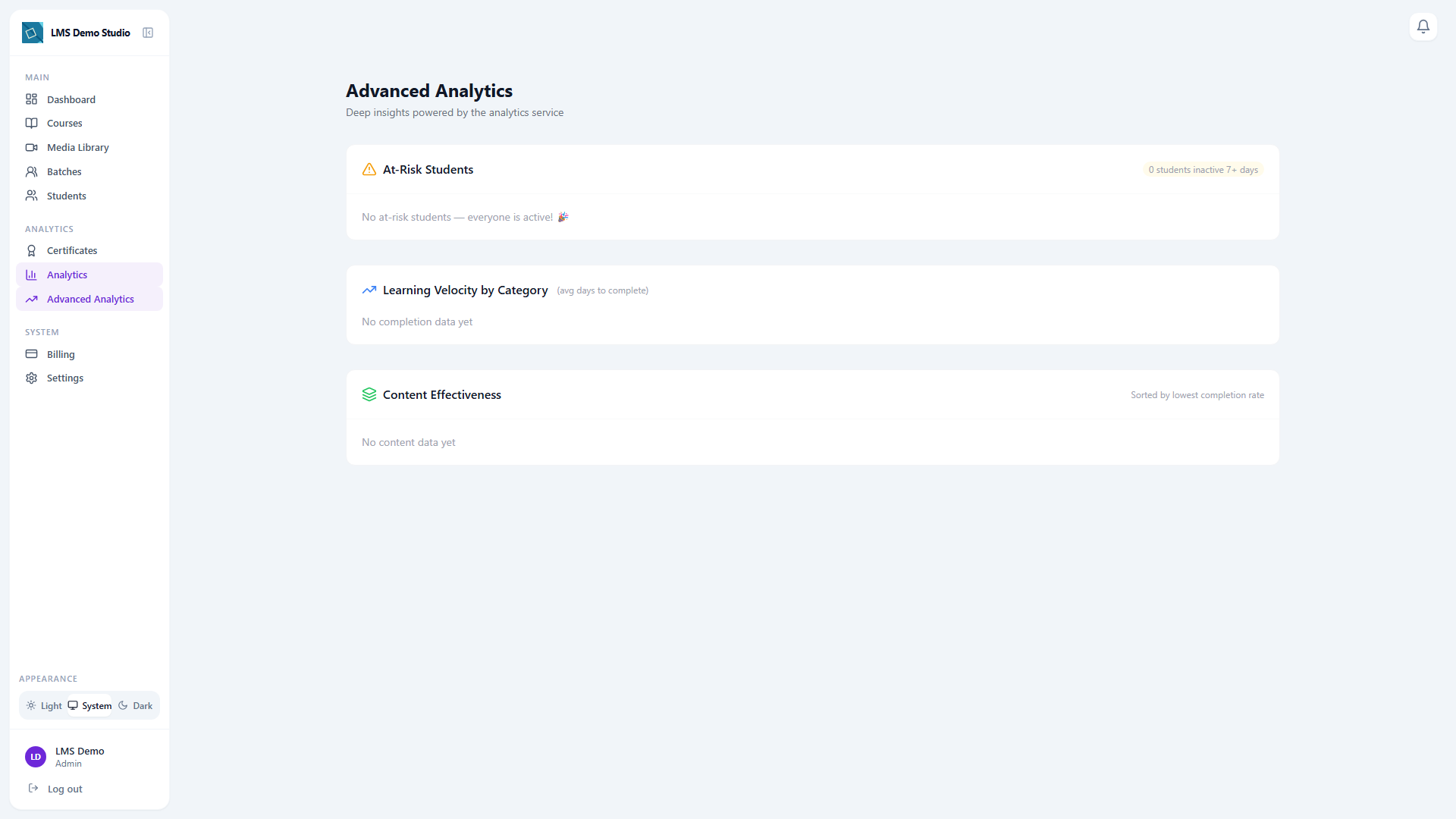
Accessing Advanced Analytics
Go to Analytics → Advanced in the sidebar. All four views below render on that one page — there's nothing further to switch between.
The four views
1. At-Risk Students
Students inactive for 7 or more days despite an active enrollment. Students inactive for more than 14 days are highlighted more urgently (red vs. amber).
How to act: Click Send Reminder next to a student's row to trigger a re-engagement notification directly. There's no separate messaging or batch-reassignment flow here — this one action is it.
2. Learning Velocity by Category
Shows average time-to-complete by course category. Use this to identify whether certain content areas take significantly longer than planned.
- High velocity (fast completion) may indicate content is too easy or students are skimming
- Low velocity (slow completion) may indicate content is too dense or prerequisites are missing
3. Engagement Heatmap
A day-of-week × time-of-day heatmap of the last 90 days of activity. It only appears once your organization has enough recorded activity to plot — a brand-new tenant won't see it yet.
Use this to:
- Schedule live sessions at peak engagement times
- Time announcement emails to arrive when students are most likely to log in
- Identify gaps (e.g. weekends with zero activity)
4. Content Effectiveness
Lists lessons sorted by lowest completion rate first, so the content losing the most students surfaces immediately.
Acting on the data
Advanced Analytics surfaces signals — the action is yours to take. Common responses:
- At-risk student → click Send Reminder, or reach out directly
- Low completion-rate lesson → rewrite the lesson or add a supplementary resource
- Off-peak engagement → reschedule live sessions to match actual activity windows